Video modding is currently not supported by the [Eternal Mod Injector](https://gamebanana.com/tools/7475). Make sure to backup your video files before editing them.
### Extracting Tools: **The RAD Video Tools by Epic Games Tools - [Download](http://www.radgametools.com/bnkdown.htm)** ### **Finding a Video to Replace:** Every video file can be found at **base\\video** in the **DOOMEternal** installation directory. Each video uses the **.bk2** format. The only way to view **.bk2** files is to open them in RAD Video Tools. - Right click on the video you want to play ( ex: **base\\video\\tutorial\_core\_loop\_summary.bk2** ) - Hover over **Open with** and click **RAD Video Tools**. - A separate window will open up, showing the video you clicked on. [](https://wiki.eternalmods.com/uploads/images/gallery/2021-11/image-1636165110372.png)The GUI of the Context Menu might look different depending on the OS you are using. This screenshot is from a Windows 11 GUI.
### Converting a Video into the .bk2 Format RAD Video tools can convert many different kinds of video formats into **.bk2**. They are compatible with most video formats such as: **.mp4 .gif .mov .wmv .avi** - Open **RAD Video Tools** - Left click the video you want to convert to **.bk2** - Left click **Bink it!** [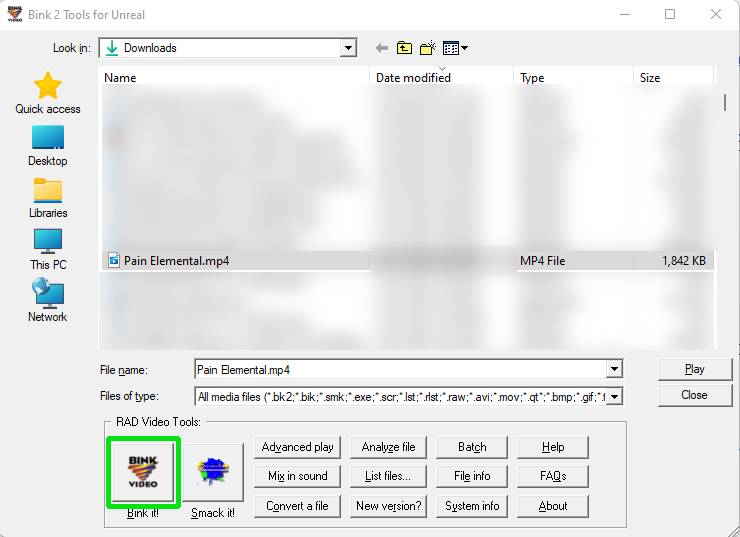](https://wiki.eternalmods.com/uploads/images/gallery/2021-11/image-1636165623447.png) - A new window will appear. The Bink Compressor provides options for changing the settings of your video before converting it. Leave them to their default value. - Change the text under **Output file info:** to the name of the video you want to replace. Make sure to add **.bk2** as the file extension. - After you finish naming the file, left click **Bink** located on the right side of the window. Your video will start processing into a **.bk2** video file. The video should be saved in the **same folder your original file was in**. [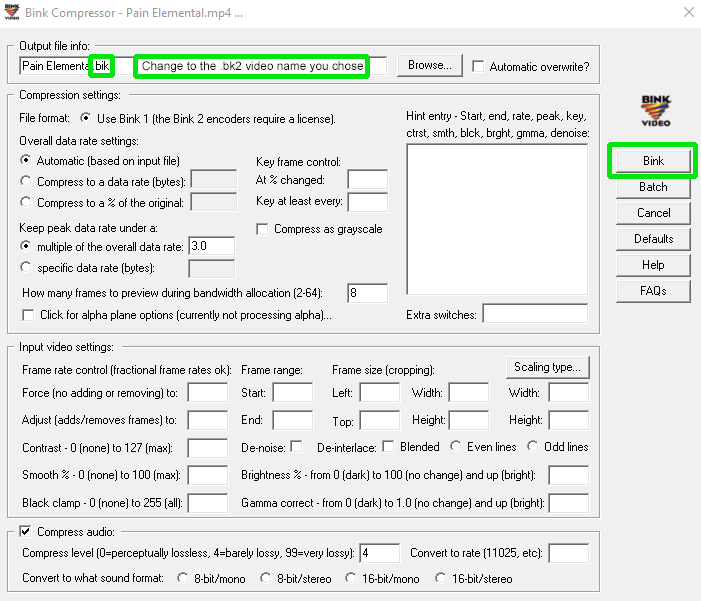](https://wiki.eternalmods.com/uploads/images/gallery/2021-11/image-1636166025479.png) ### Replacing the Existing Video FileMake sure to create a backup for the original video file and store it somewhere safe. If you fail to restore the original file, you will need to Verify File Integrity from your client.
- Go back to the file path where you originally found the video you want to replace ( ex: **DOOMEternal\\base\\video\\tutorials** ) - Put your new **.bk2** file into the file path, and replace the vanilla file. - Run DOOM Eternal like normal, no Eternal Mod Injector needed. [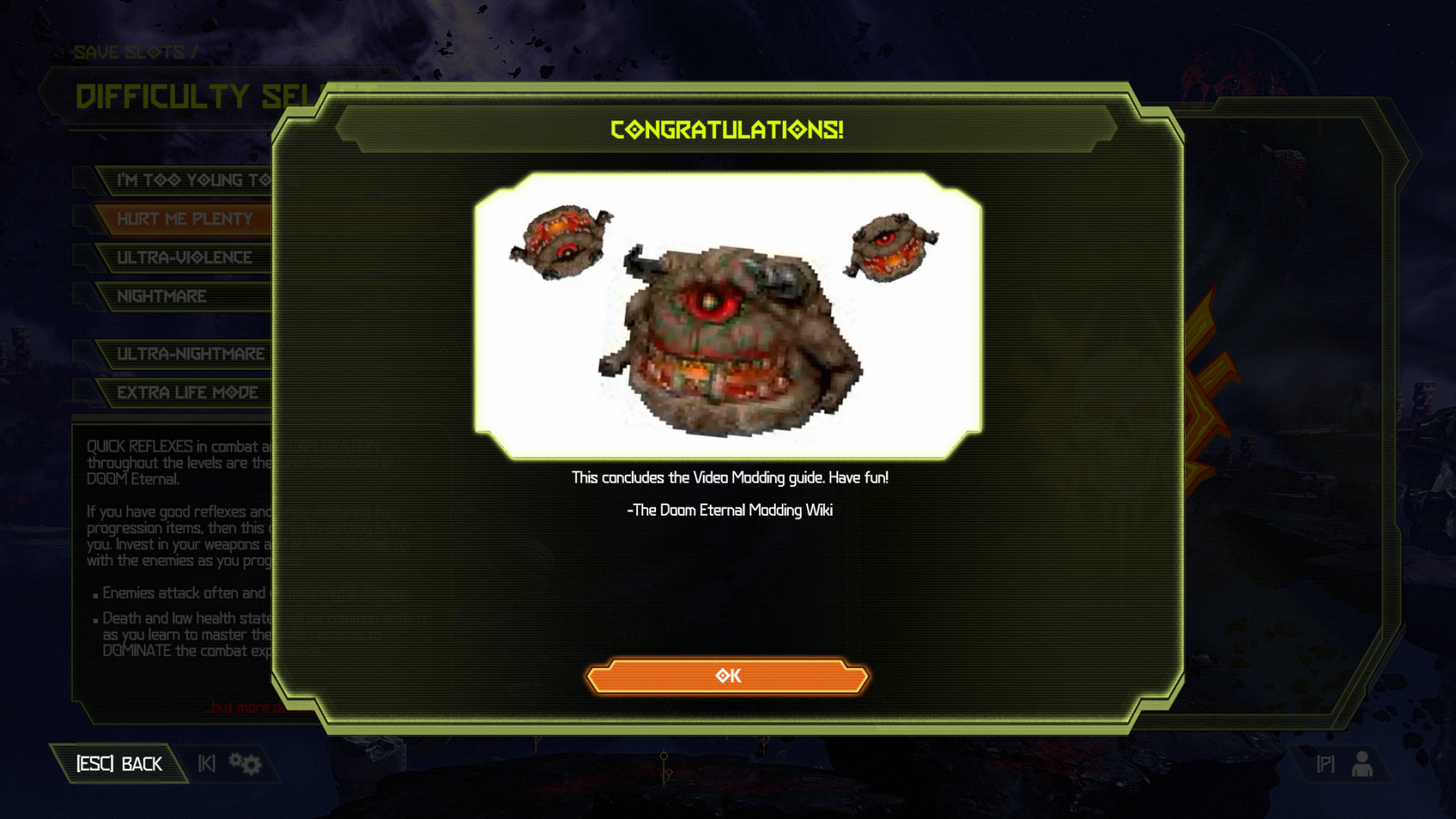](https://wiki.eternalmods.com/uploads/images/gallery/2021-11/image-1636166447556.png)To restore the original video, simply replace your modified **.bk2** file with the vanilla file.